Creating an Item in Sam's Club Supplier One
Setup New Item(s)
This article provides instructions for creating an item in Supplier One using the user interface rather than the spreadsheet upload option. This approach is recommended when creating fewer than 10 items.
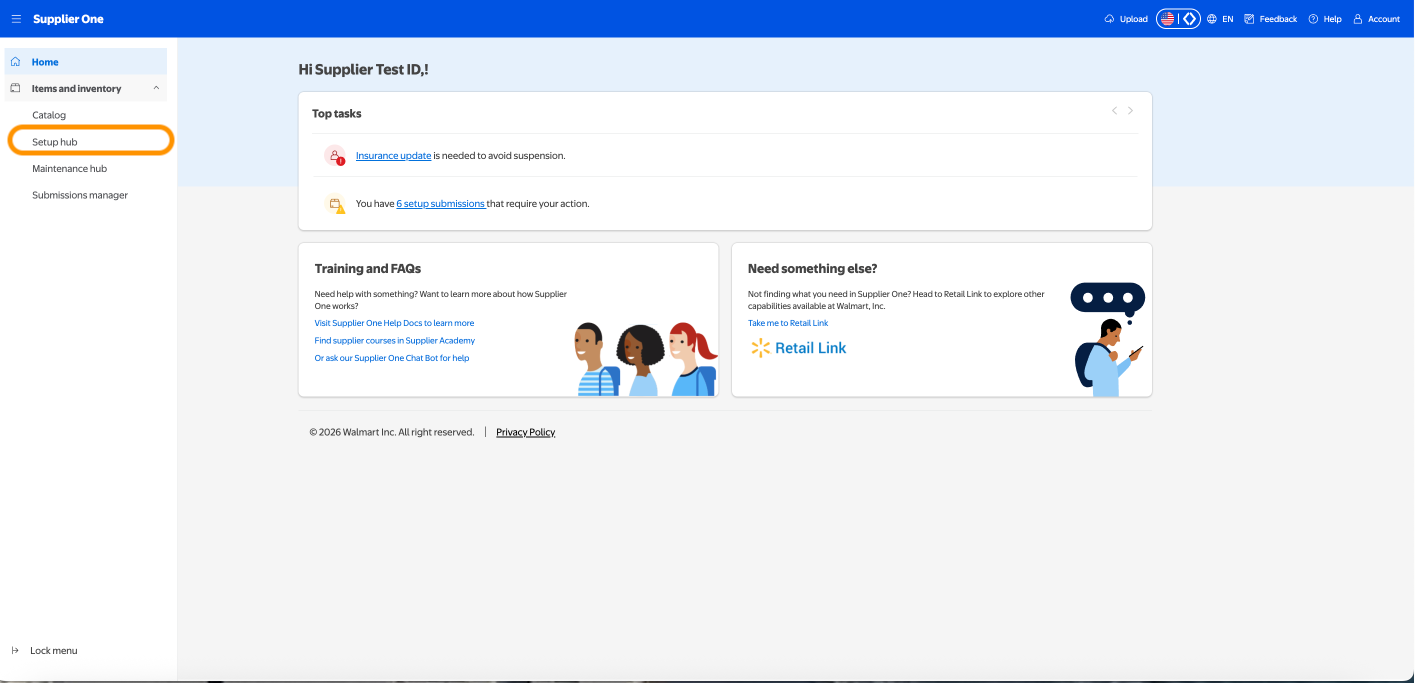
1. Access the Setup hub from the Home screen under Items and Inventory
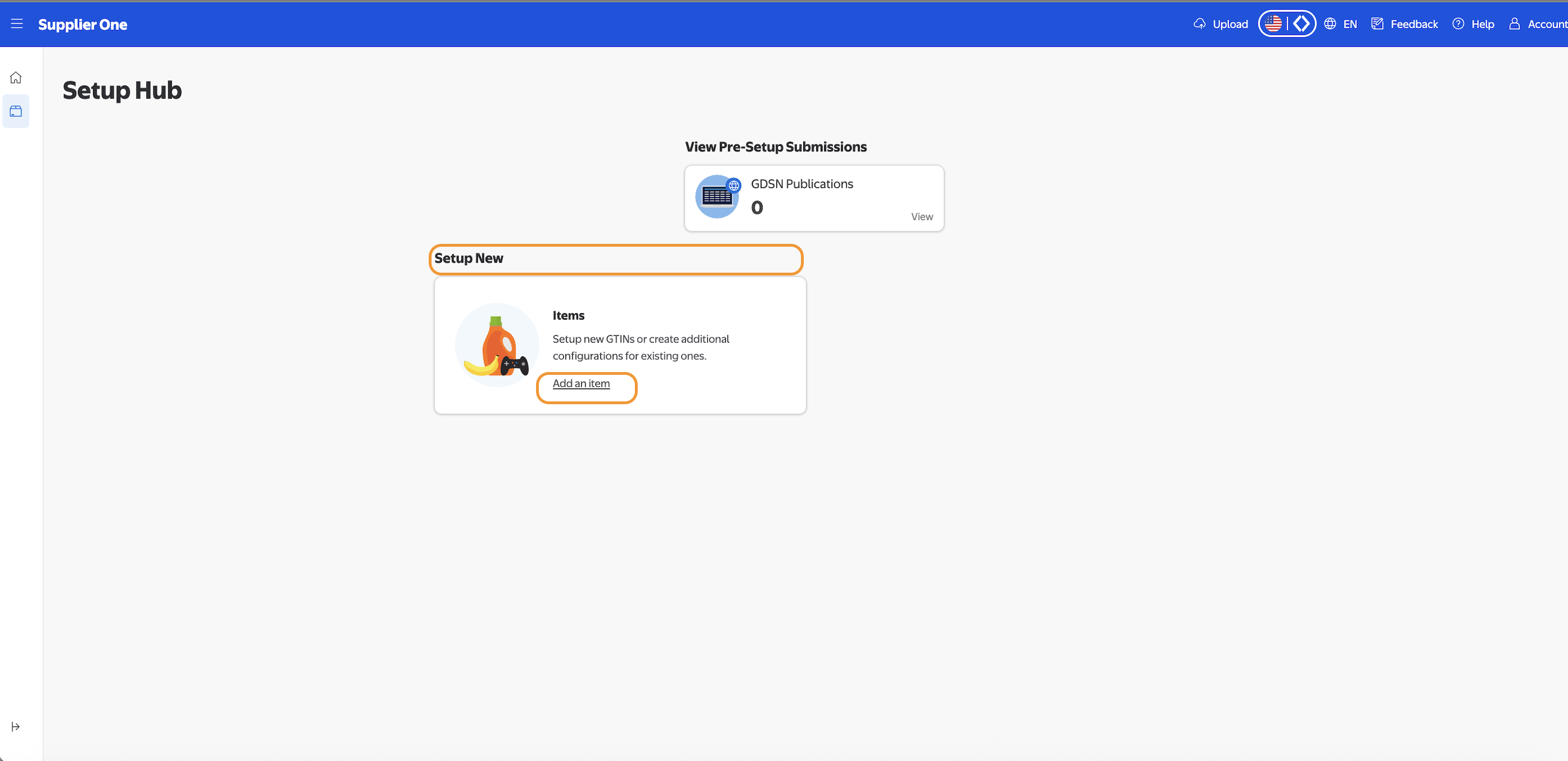
2. Click on "Add an item" under Setup New
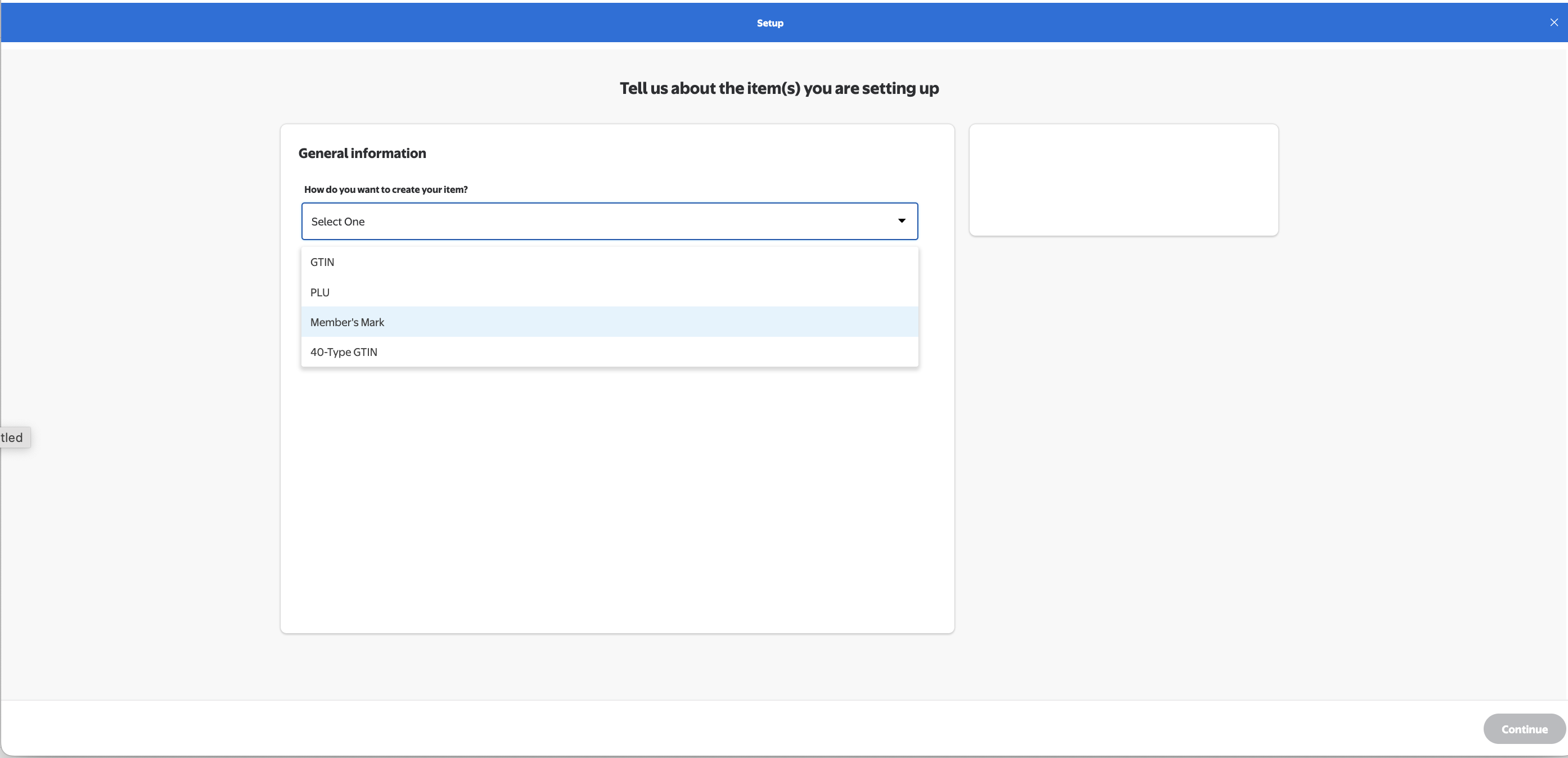
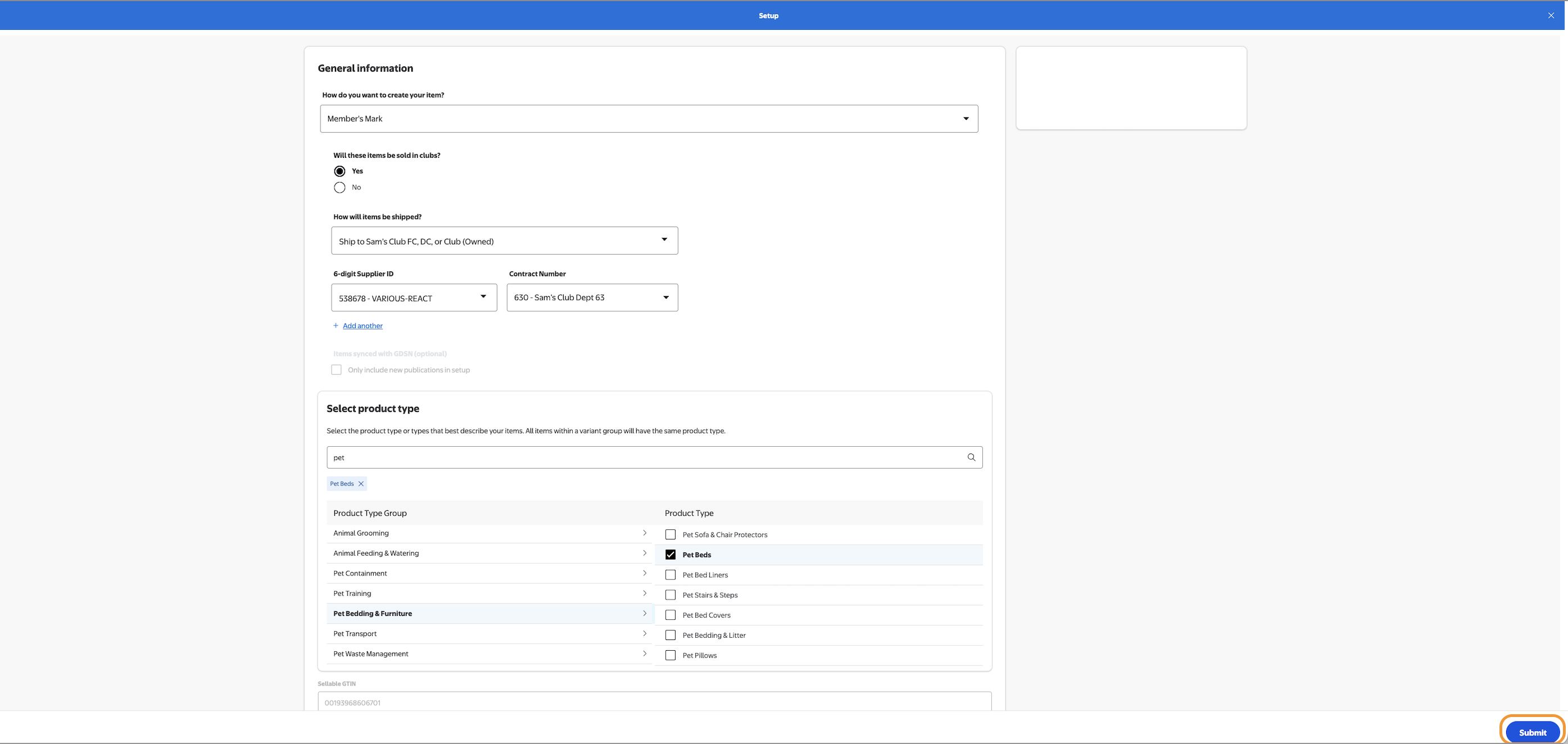
3. Tell us about the item(s) you are setting up
4. Complete Item General Information Questionnaire, then click Submit.
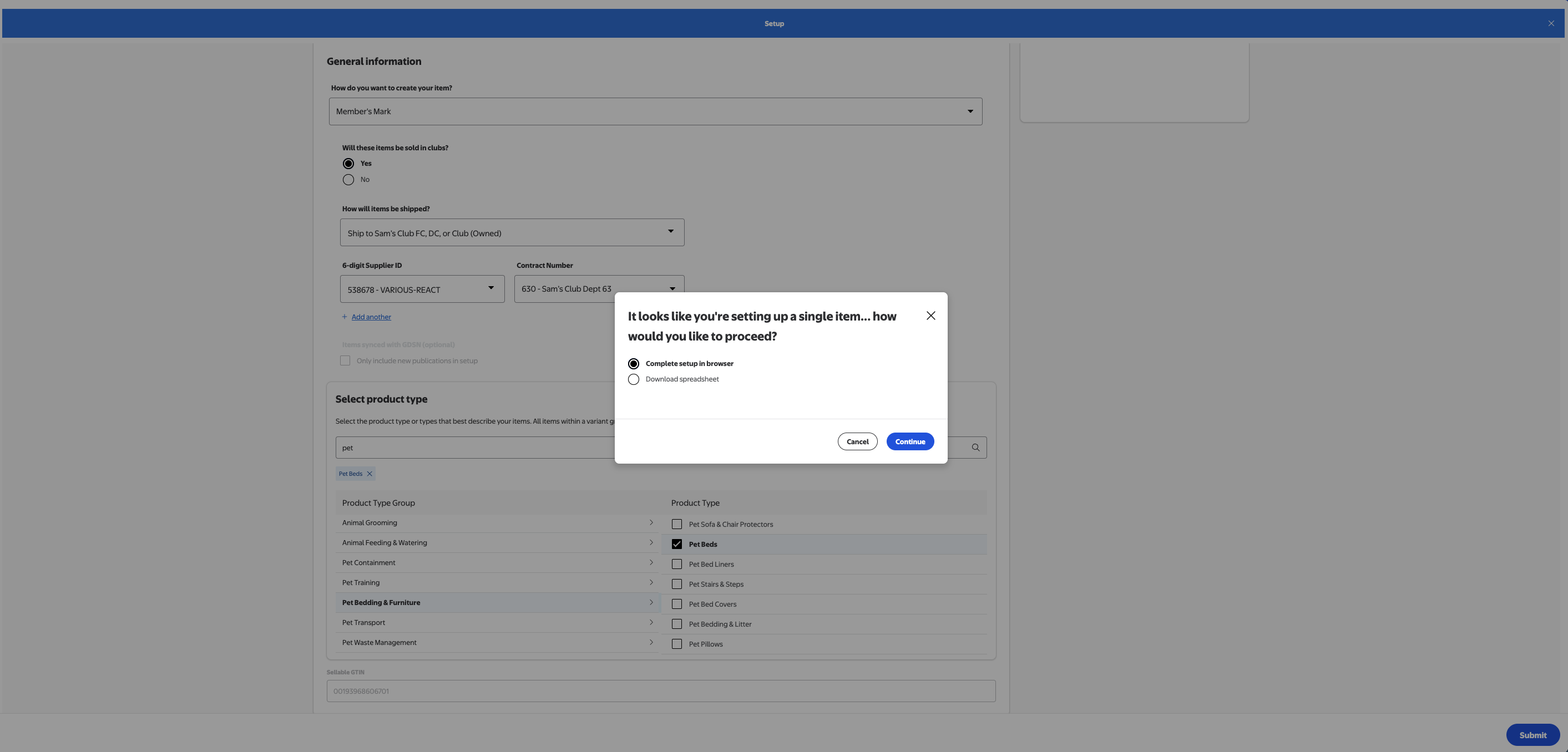
5. Recommendation: Select "Complete Setup in browser." Click Continue.
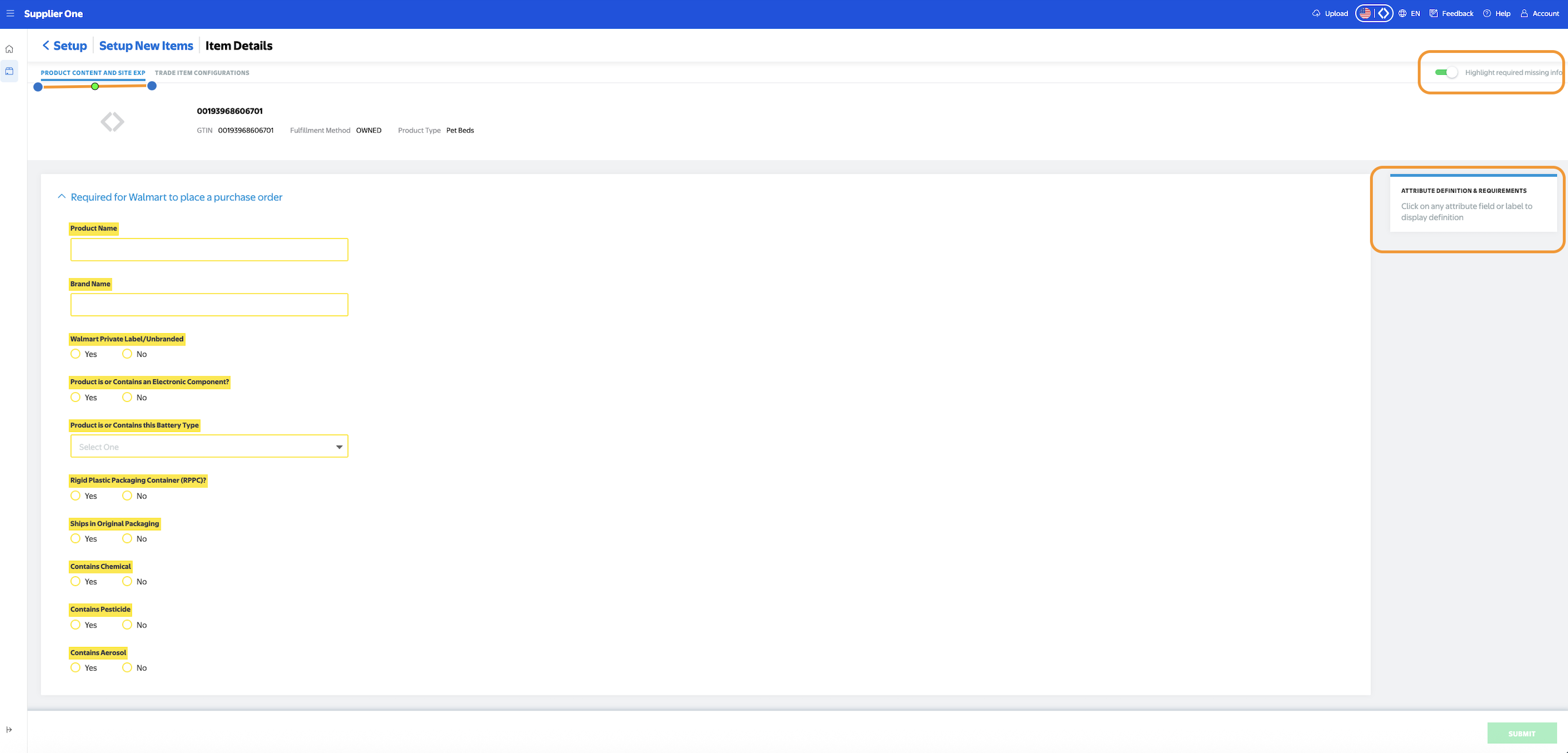
PRODUCT CONTENT AND SITE EXP TAB
1. Recommendation: Use toggle button on right side of screen to highlight all required fields. Use scroll bar to right and complete all sections and required fields within (highlighted in yellow).
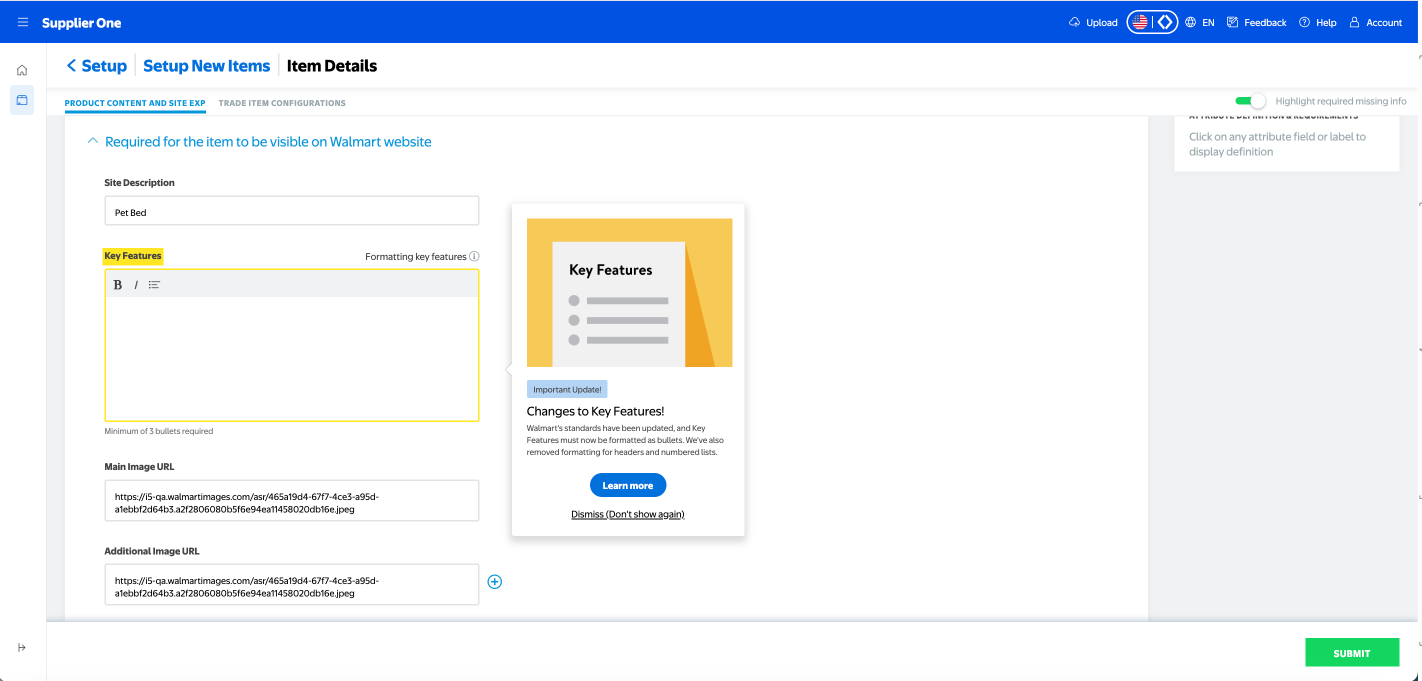
2. Pay special attention to attributes with pop-ups. These pop-ups contain important information and/or instructions about the attributes that may not be found in the ATTRIBUTION DEFINITION & REQUIREMENTS on the right side of screen.
3. Go to the Trade Item Configuration tab
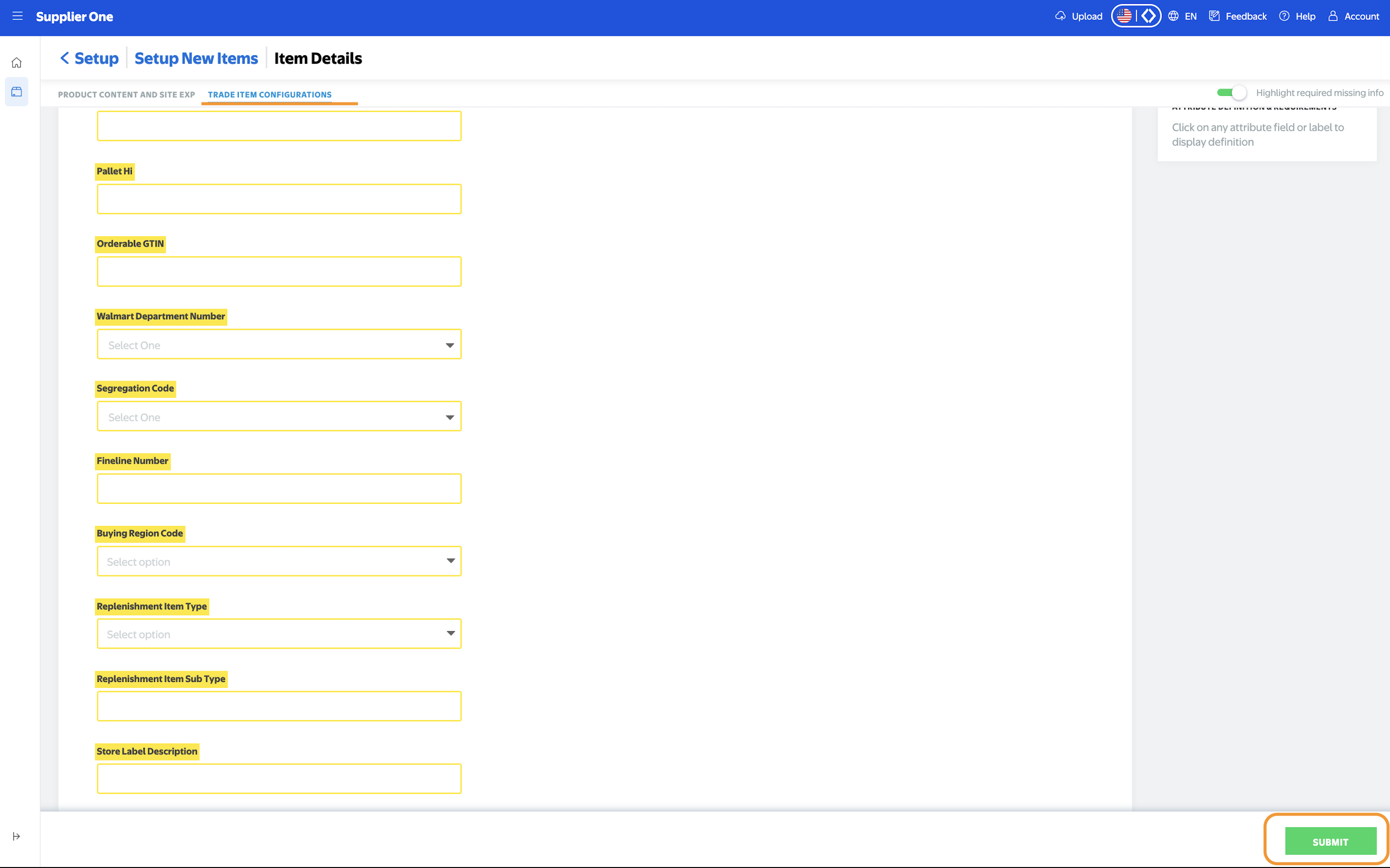
TRADE ITEM CONFIGURATION
1. Complete all required attributes. then click Submit