Getting Started with Sam's Club Item Management in Supplier One
Learn how to navigate and manage items in Supplier One. This guide walks through key areas—including the Setup Hub, Maintenance Hub, Submissions Manager, and FAQs—so you can confidently set up, manage, and track your items in the Sam’s Club catalog.
Log in to Supplier One
- Go to https://supplierone.samsclub.com/ in your Google Chrome browser.
- Sign in using your Retail Link email ID and password.
Home
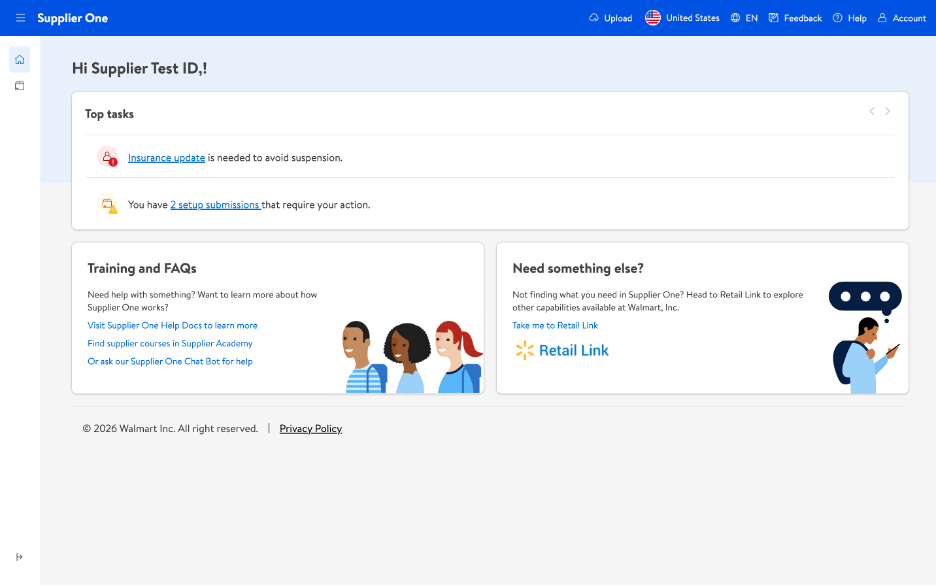
Left Navigation Menu
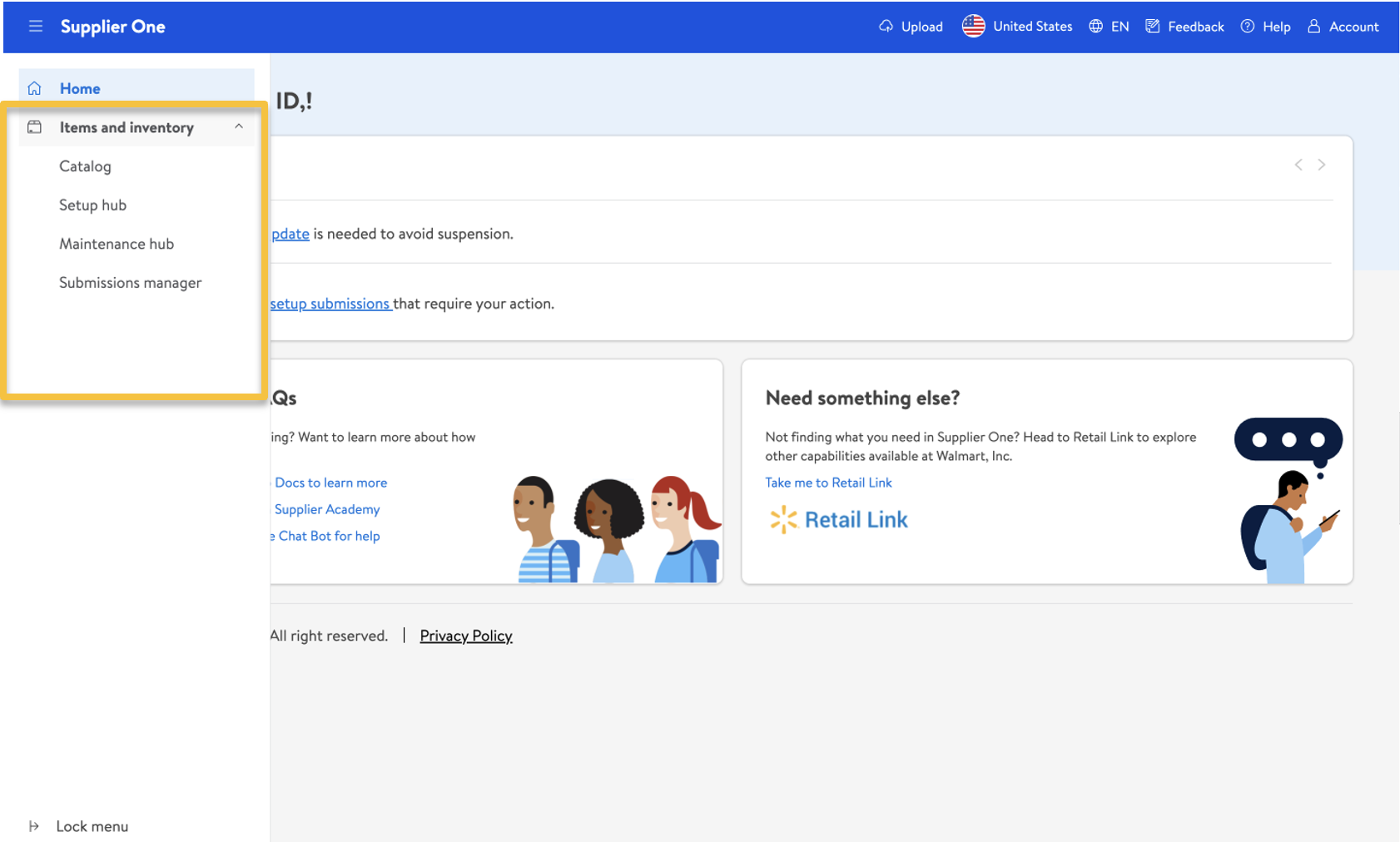
Click the lines next to Supplier One at the top left corner of the window to expand the left navigation menu. This is what you use to navigate the primary features of Supplier One:
Currently, you will see the following:
- Home
- Items and Inventory
Items and Inventory
Click Items and Inventory in the left navigation menu to view, set up, manage, and track items.
Catalog
- Products (by GTINs/UPCs): Find information regarding content quality and insights, samsclub.com publish status and unpublished reasons, customer reviews, and more.
- Item configurations and hierarchies (by Item Numbers): Find information specific to department and fineline, supply item status, replenishability, buying region, and more. This view is where you can find assortments and shippers.
Setup Hub
The Setup Hub is the entry point for submitting requests to set up new item numbers in the Sam’s Club item catalog. Within Setup Hub, suppliers can choose the method that best fits their volume and business need.
- Individual Item Setup: Submit one item at a time directly in the web browser. This option is recommended when creating 10 or fewer items at a time, as it provides guided entry and real-time validation.
- Bulk Item Setup: Submit multiple items at once using the Item Setup Spreadsheet. This option is best for larger submissions and allows suppliers to upload item data in bulk for processing.
Maintenance Hub
- Product Content & Site Experience: Manage basic item info, site dates and details, compliance and regulatory attributes, and product type-specific attributes at the GTIN level.
- Item Configuration & Supply Chain: Manage trade item configuration details, logistics & transportation, source & destination, store handling, and replenishment attributes.
Submissions Manager
Easily track the status of your setup and maintenance submissions, and take further action if needed.
Track Your Submissions - Learn how to check if your item submissions in Supplier One are processing, complete, or require action from you or a Sam's Club associate.
What Is a Submission ID? - Learn how to find the Submission ID in Supplier One so you can easily track your submissions and share details with the support team.
Frequently Asked Questions
Understanding New Required Attributes: Learn how to enter the new required attributes in Supplier One that may be familiar from Walmart item setup, but are new to Sam’s Club.
Understanding Attribute Name Changes: Learn how to navigate item setup attribute name changes as we’ve transitioned from Sam’s Item Link to Item Data Management (IDM) and now to Supplier One.
Which Attributes Can be Managed by Suppliers: Learn about the recommended best practice to determine which attributes can be edited by suppliers in Supplier One.
Feedback
Your input is critical as we continue to add new features and make updates to this new setup process in Supplier One. Click Feedback at the top right corner of your window to submit your comments.

Help
If you have questions about using Supplier One or run into unexpected issues, click Help at the top right corner of your window for options.

- Some suppliers may see Marty, our new chatbot experience. If the Marty widget covers part of the page (such as the Submit button), you can drag it to another area of your screen.
- Coming Soon - Manage tickets: Submit a new ticket, manage your current tickets, or view your closed tickets.For additional support, email our Item Catalog Support team at samsics@samsclub.com