Store Shopping Image Guidelines
This outlines best practices for selecting, tagging, and managing shopping images to ensure we are optimizing the experience for Walmart store associates and Spark Shoppers and thus reducing shopping/item not found, and ultimately improving customer experience.
Shopping Experience Overview
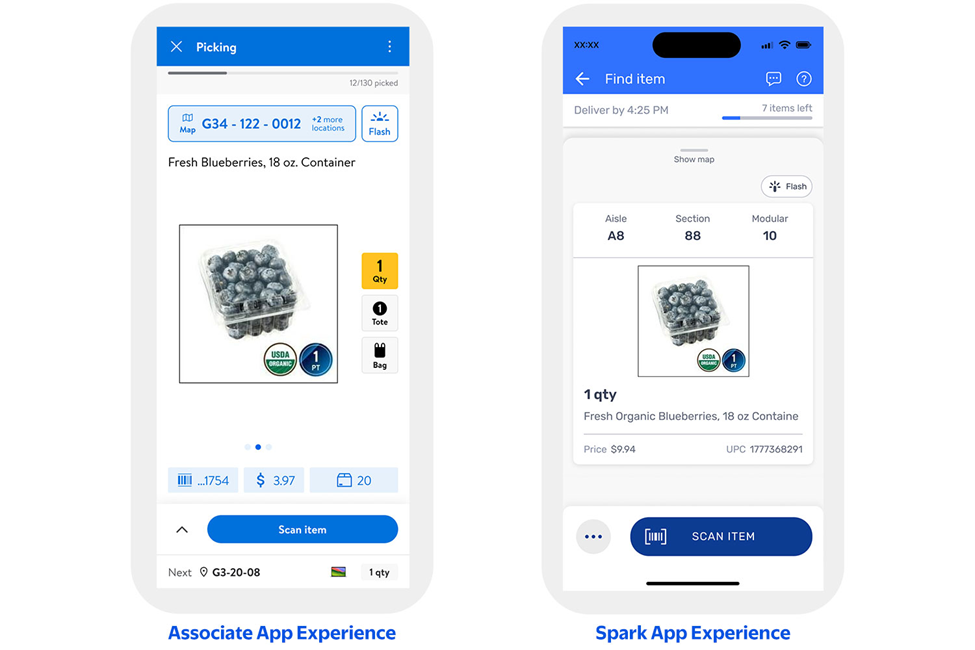
When customers place an order for store pick-up or delivery, the order is routed to either a store associate or Spark Shopper to fulfill or “shop” the order in store and bring it to the customer. Associates and Spark Shoppers use different fulfillment/shopping apps, each with unique layouts and visual cues. As you can see in the pictures below, images take up the most space on handheld screens, and must be optimized for quick, accurate identification.
Shopping Image Best Practices
Shopping images should accurately represent the in-store shelf experience to help associates quickly and confidently identify the correct item. Images must reflect exactly what an associate or Spark Shopper would see on the shelf, including correct packaging, accurate orientation, and true-to-mod appearance.
To optimize for operational efficiency without impacting the customer experience, shopping-optimized images may be created and hidden from Walmart.com. These images should be designed specifically to support item identification during the shopping process.
When helpful, images may zoom in or magnify key product details—such as quantity, size, color, or other distinguishing attributes—to reduce shopping errors and speed up decision-making. However, text overlays should be avoided. Text embedded in images cannot be translated and does not respect a user’s language preference, which can create accessibility and usability issues.
Scenarios and Examples
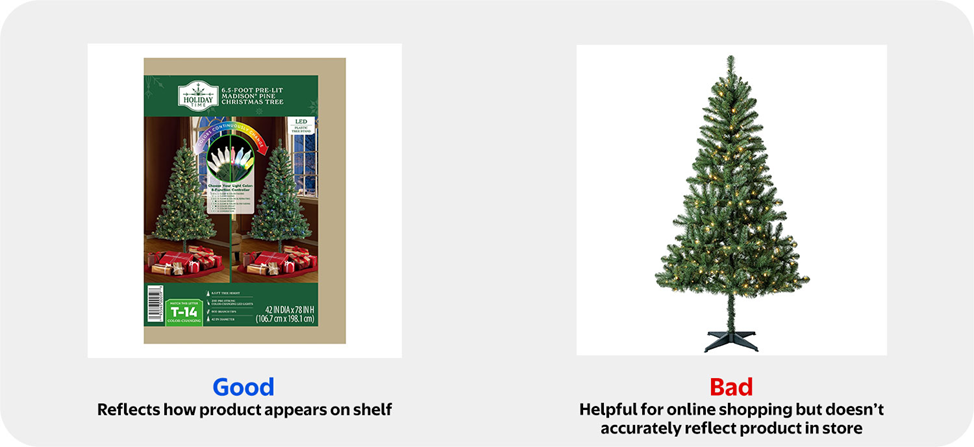
- Shelf-Accurate Appearance (Foundational Rule): The most fundamental guideline for selecting a shopping image is ensuring the image accurately reflects how the product physically appears on the store shelf. The image should match exactly what the associate or Spark Shopper will see in-store, including packaging, orientation, and presentation
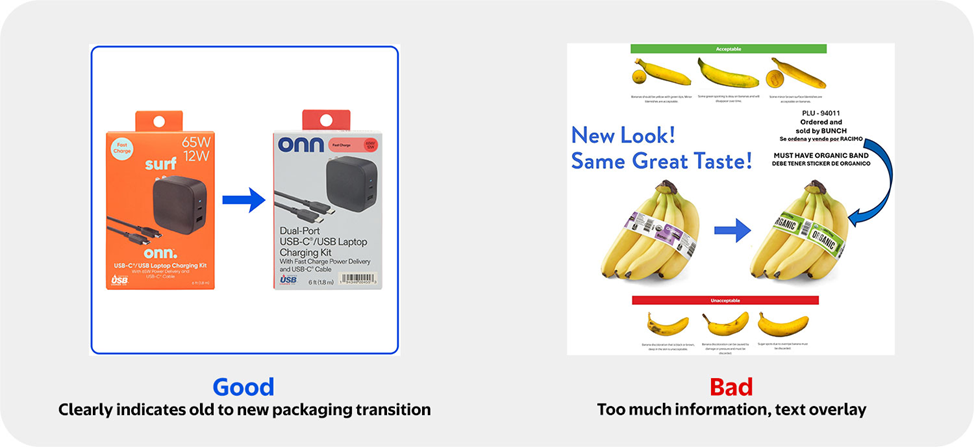
- Packaging Variations & Transitions: When multiple packaging versions may appear on the shelf due to seasonal changes, supplier updates, or permanent packaging transitions, shopping images should reflect all possible on-shelf appearances. Show both packaging options using visual equivalency cues (e.g., →) without text overlays.
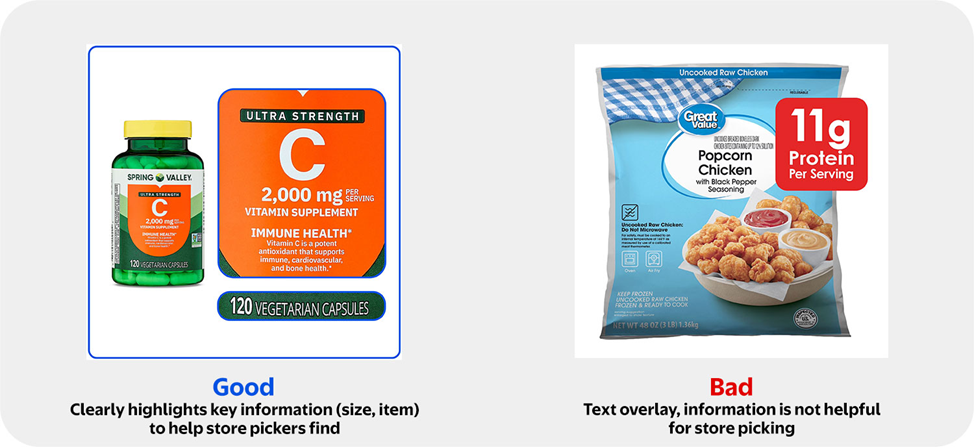
- Key Attribute Visibility (Zoom & Magnification): When products are visually similar, leverage zoom or magnification on packaging labels to highlight key differentiating attributes such as quantity, size, grade, strength, or count (e.g., 12 gallons, USDA Grade A, 150-count). Product identifiers on PDQs may be included when present, but all pricing information must be removed.
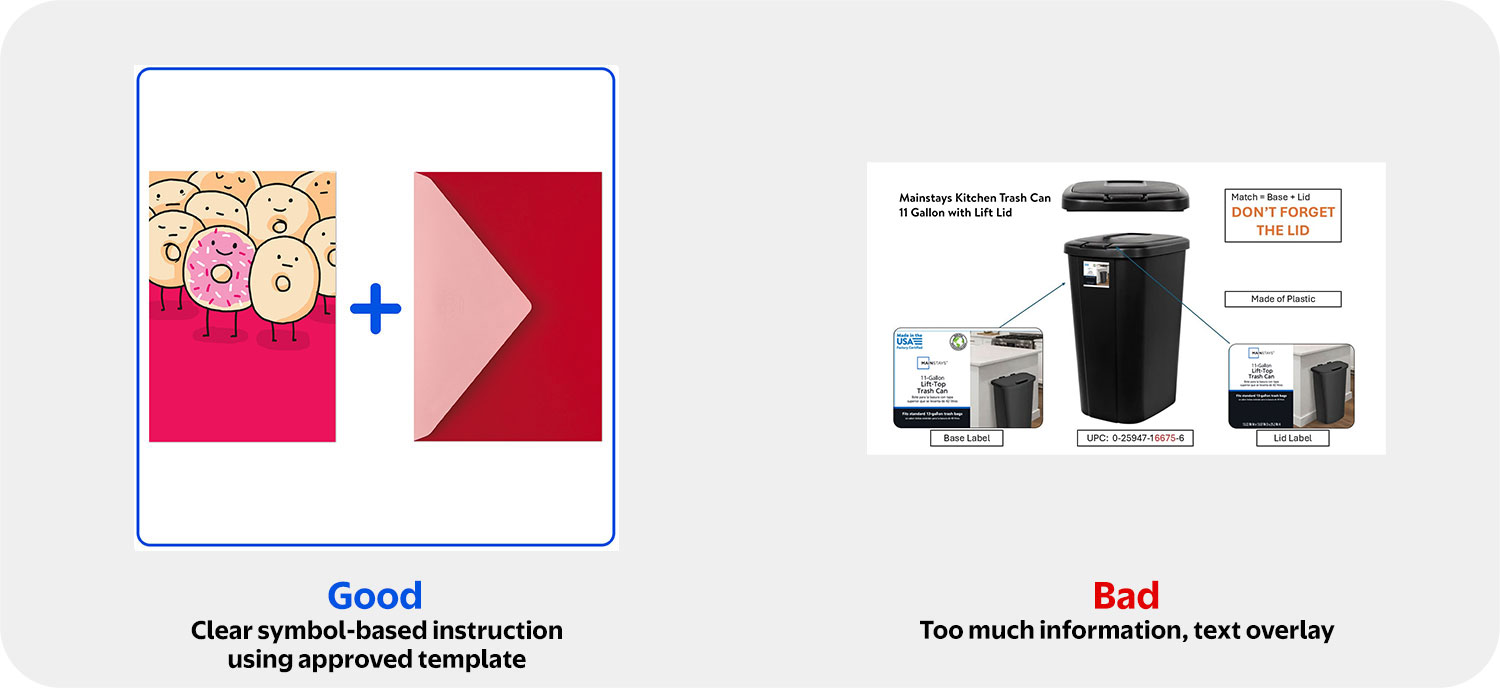
- Companion & Multi-Component Items: For products that include or require multiple components (e.g., greeting cards + envelopes, storage bins + lids), shopping images should display all required components together to confirm item completeness. Use visual indicators such as (+) to show included components. Avoid text overlays.
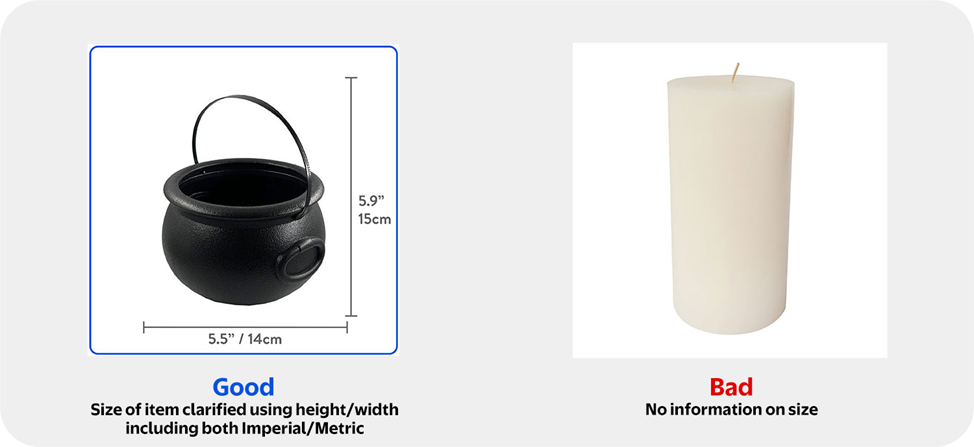
- Size differentiation: For items available in multiple sizes without a clear unit-of-measure attribute (e.g., décor, candles, housewares), shopping images should visually differentiate size to help pickers quickly identify the correct option. This can be achieved by showing sizes side-by-side and visually de-emphasizing non-selected sizes (e.g., grayed out), without using text.
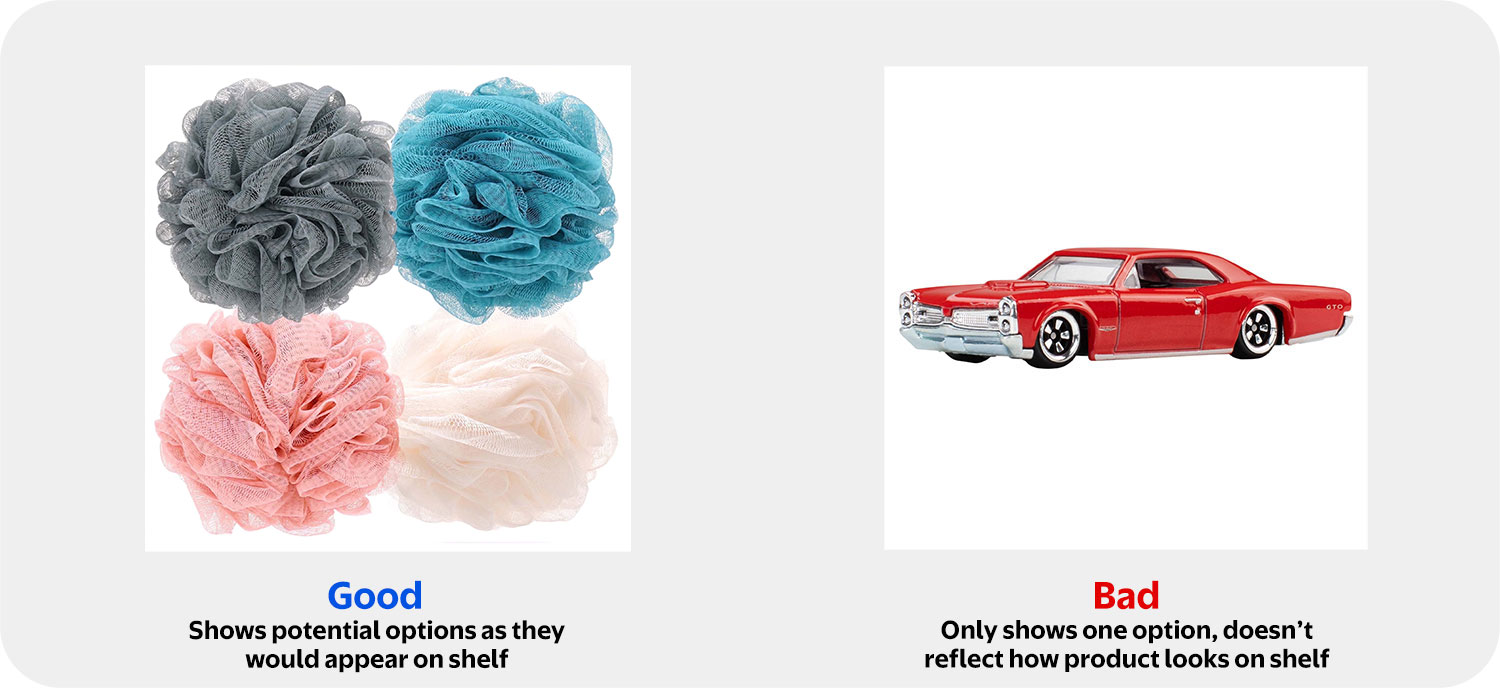
- Assortments with Variable Selection: When customers cannot select a specific variant (e.g., assorted toys, cards, or novelty items), shopping Images should display a subset of images that clearly illustrate the Shelf-Accurate Appearance. A clear explanation of assortment variability should be included in the item description rather than on the image.
Setting up your shopping images
The image tags you assign in Supplier One will determine which images appear in the associate and Spark Shopper apps. Proper tagging is essential for accurate shopping.
- Primary shopping image logic is consistent across Spark and associate apps.
- The primary image that shows for Spark Shoppers and associates fulfilling orders will be prioritized based on the following image tags in catalog (Supplier One).
- Rank 1: " Store Picking Image"
- Rank 2: "Front of Package Packing"
- Rank 3: "Main Image"
- The primary image that shows for Spark Shoppers and associates fulfilling orders will be prioritized based on the following image tags in catalog (Supplier One).
Associate app surfaces a 2 and 3 shopping images that the user can swipe through.
- Secondary Shopping Image Logic:
- Rank 1: "Back of Product in Packaging"
- Rank 2: "Alt View of Product in Packaging"
- Rank 3: "Main Image"
- Third shopping Image Logic (Category Specific):
- Rank 1:
- Food Items: "Ingredients"
- General Merchandise: " Size Guide"
- Medicine: "Drug Fact Label"
- Supplements: "Supplement Fact Label"
- Rank 2: "Main Image"
- Rank 1:
To learn more about how to tag images in Supplier One, please click here.
Have Questions or Need Help?
If you experience any issues viewing or updating imagery, please click "Help" in the top navigation menu and select "Manage tickets" to file a case ticket. Or, select "Chat" to get real-time help from our chat bot or click "Search articles" to search Supplier One HelpDocs.
Make sure to select the issue type Items and Inventory.